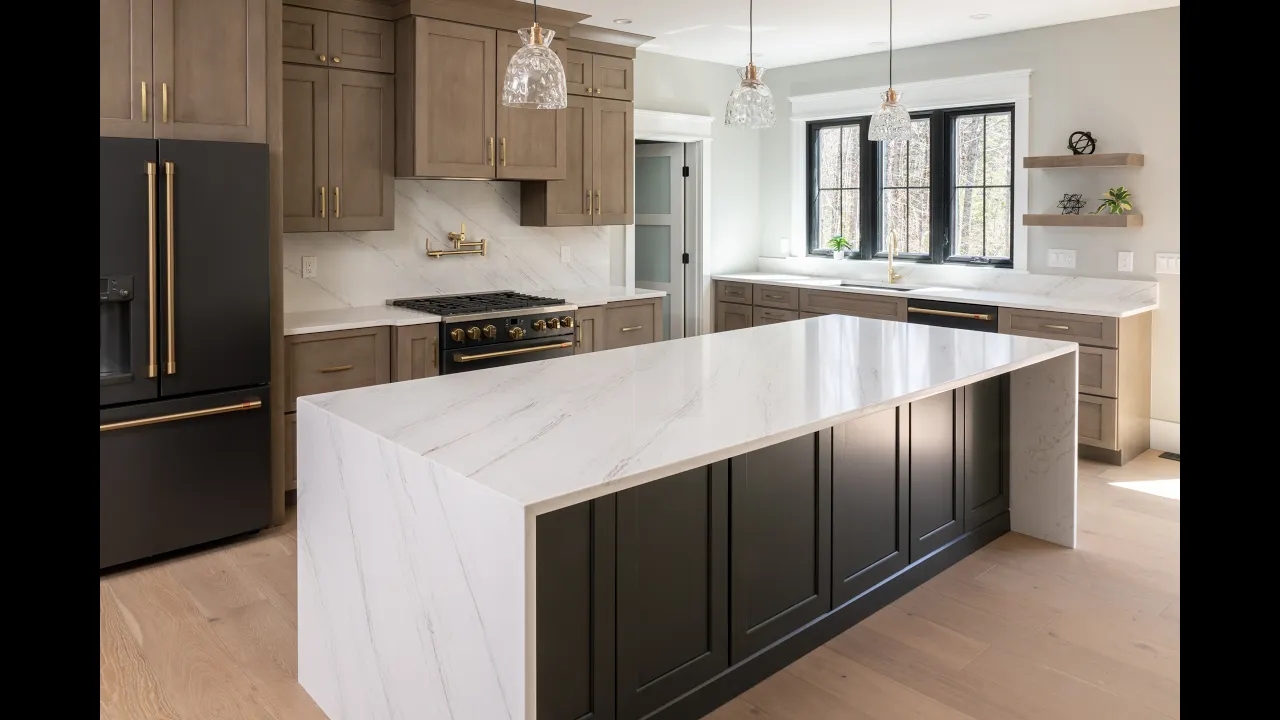
YOUR KITCHEN, REIMAGINED
See what’s possible in your kitchen.
Start with a photo of your kitchen. Use our ready-to-copy prompts to explore cabinetry, countertops, hardware, and design directions inspired by the products available through Heartwood.

A LITTLE CURIOSITY. A CLEARER DIRECTION.
From your kitchen photo to fresh possibilities.
01
Take a photo
Capture your kitchen in good daylight. Include the cabinets, countertops, and surrounding space.
02
Choose and copy a prompt
Pick the change you want to explore, then replace any bracketed details.
03
Upload and imagine
Open ChatGPT or your preferred image-capable AI tool, upload your photo, and paste the prompt.
For a closer product match, upload a product photo or finish sample alongside your kitchen photo and label each image.
Use your own AI tool. This page provides prompts; it does not upload photos or generate images within the website.
FIND YOUR STARTING POINT
Browse the prompt library.
Start with one change or explore a coordinated refresh. Open any prompt to read it in full and replace the bracketed details. Select a cabinet line, finish, surface, or hardware model with a Heartwood designer.
AI images are for inspiration. Product details, colors, dimensions, availability, and construction feasibility need to be confirmed with your Heartwood designer.
10 prompts · Copy a starting point, then make it yours.
Refresh My Cabinets
Explore a new door style and finish within your current kitchen footprint.
What to upload: Your kitchen photo; optional cabinet door and finish reference.
Read or edit the full prompt
Replace bracketed details here or after pasting. A Heartwood designer can help select the cabinet line, finish, surface, and hardware.
Explore a Two-Tone Kitchen
Compare complementary cabinet finishes without adding an island or changing the room.
What to upload: Your kitchen photo; two labeled cabinet finish references if available.
Read or edit the full prompt
Replace bracketed details here or after pasting. A Heartwood designer can help select the cabinet line, finish, surface, and hardware.
Find My Countertop Direction
See how a different surface works with the cabinets you already have.
What to upload: Your kitchen photo; a labeled countertop sample or product photo.
Read or edit the full prompt
Replace bracketed details here or after pasting. A Heartwood designer can help select the cabinet line, finish, surface, and hardware.
Try a Different Hardware Finish
Focus on the small details, keeping the rest of your kitchen unchanged.
What to upload: Your kitchen photo; a close-up of existing hardware and a labeled replacement reference.
Read or edit the full prompt
Replace bracketed details here or after pasting. A Heartwood designer can help select the cabinet line, finish, surface, and hardware.
Coordinate Cabinets, Counters, and Hardware
Bring three selected samples together in one cohesive concept.
What to upload: Your kitchen photo; separately labeled cabinet, countertop, and hardware references.
Read or edit the full prompt
Replace bracketed details here or after pasting. A Heartwood designer can help select the cabinet line, finish, surface, and hardware.
Make My Kitchen Feel Brighter
Explore a lighter palette while keeping your actual windows and lighting conditions.
What to upload: Your kitchen photo; optional lighter cabinet and countertop samples.
Read or edit the full prompt
Replace bracketed details here or after pasting. A Heartwood designer can help select the cabinet line, finish, surface, and hardware.
Create a Warmer, More Natural Kitchen
Explore wood tones and warm details using samples you can discuss with a designer.
What to upload: Your kitchen photo; labeled wood tone, countertop, and hardware references.
Read or edit the full prompt
Replace bracketed details here or after pasting. A Heartwood designer can help select the cabinet line, finish, surface, and hardware.
Compare Three Cabinet Directions
Assess three cabinet treatments under the same viewing conditions.
What to upload: Your kitchen photo; three labeled cabinet references or three completed selections.
Read or edit the full prompt
Replace bracketed details here or after pasting. A Heartwood designer can help select the cabinet line, finish, surface, and hardware.
Compare Three Countertop Options
Compare surfaces without changing the cabinets or the rest of the room.
What to upload: Your kitchen photo; three labeled countertop samples or completed surface selections.
Read or edit the full prompt
Replace bracketed details here or after pasting. A Heartwood designer can help select the cabinet line, finish, surface, and hardware.
Explore a Complete Kitchen Refresh
Visualize a full finish refresh within the room and layout you already have.
What to upload: Your kitchen photo; labeled cabinet, countertop, and hardware references.
Read or edit the full prompt
Replace bracketed details here or after pasting. A Heartwood designer can help select the cabinet line, finish, surface, and hardware.
REAL PRODUCTS. PERSONAL GUIDANCE.
Products to explore with Heartwood.
Use the library as a starting point for choosing real products with a designer. Explore the brands in Heartwood’s current catalog, then compare physical samples and confirm the selections for your home.
Cabinetry
Cabico, 1951 Cabinetry, Shiloh Cabinetry, QCCI, and Eclipse Cabinetry.
Explore door profiles and finishes with a designer. Heartwood’s 1951 Cabinetry catalog includes Portfolio and Portfolio Select.
Countertops
Cambria, Corian, Dekton, Silestone, and HanStone Quartz.
Compare real surface samples, pattern scale, edge details, and care requirements before making a selection.
Hardware
Top Knobs, Elements, Amerock, and Jeffrey Alexander.
Complete the look with knobs and pulls. Confirm the model, finish, dimensions, and hole spacing with your designer.
FROM INSPIRATION TO A REAL PLAN
Found a direction you love?
Let’s make it work.
Bring your original kitchen photo and your favorite AI concepts to Heartwood. Our designers can help you compare real samples, refine the details, and understand what works for your space and budget.
A few things to know.
Do I need a paid AI account?
Access, image uploads, image generation, and usage limits vary by provider and plan. Check the current features of your preferred AI tool. You will use your own account; Heartwood’s library simply gives you prompts to copy.
Will the image show the exact products?
No. AI approximates colors, patterns, proportions, and product details, even when you provide a reference. Use the results to explore a direction. Real samples and confirmed product specifications are essential before ordering.
Can this help me explore a new layout?
These prompts primarily preserve your existing layout so you can compare finish choices clearly. Moving walls, cabinetry, appliances, or plumbing requires professional review and accurate measurements. Bring layout ideas to a Heartwood designer for a practical plan.
Can Heartwood help me turn an idea into a design?
Yes. Start a conversation with Heartwood about your goals, space, and budget. Bring your original photo, favorite AI concepts, and any measurements or plans you have. A designer can help you review product samples and refine the design, with measurements and project details confirmed before moving forward.